Fewer than 25 people on site
$499
a month per active jobsite
Up to 24 people on site
VeriMuster · GPS-verified time clock
Crews scan one QR poster per job. Time only counts inside the jobsite perimeter. Timekeepers see verified hours next to claimed hours, and every change stays in an audit trail.
Demo uses sample data. Try demo worker R-1043, demo PIN 1234 (the real app signs workers in with a one-time invite code).
One fixed code per job, posted on site. Workers sign in once with a one-time invite code from their employer, then scan to clock in or out.
A clock-in only counts when the phone is inside the job’s fence. Attempts from off site are refused and logged.
The timesheet shows what was verified on site next to what was claimed, including overtime after 40 hours a week.
Approve, dispute or edit. Every action is kept in an audit trail, so the record can be explained later.
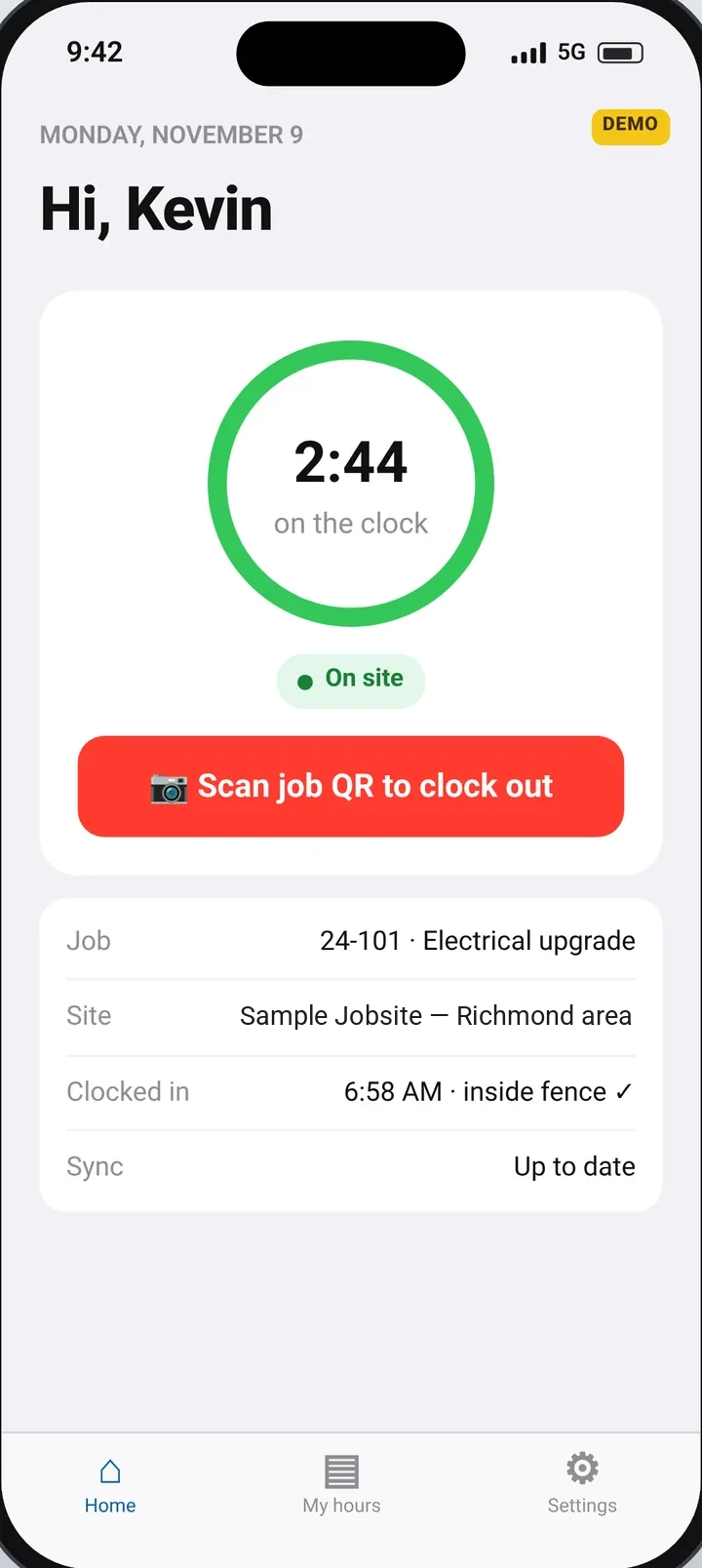
A narrated walkthrough of the sample demo covers — the QR poster, the jobsite perimeter, and how a timekeeper reviews a flagged timesheet. It uses sample data, not a customer site.
Every job gets a GPS fence around the jobsite perimeter and one fixed QR poster. The app on the worker’s phone enforces the rules.
One fixed QR code per job, printed once and posted on site. Workers sign in once with a one-time invite code or join link from their employer, then scan to clock in or out. A code can be regenerated or turned off if it walks away.
A clock-in only counts when the phone is inside the jobsite perimeter. Attempts from outside the perimeter are refused and logged, with the distance from the fence.
If a clocked-in phone stays outside the jobsite perimeter for more than 15 minutes, the worker is clocked out automatically, stamped at the time they first went outside the perimeter, not when the timer ran out.
Basements, steel buildings and dead zones happen. Time entries and location checks queue on the phone and upload later with their original times. A dropped signal on its own never ends a shift.
When the same phone clocks in more than one worker, the time entries are flagged as possible piggybacking for the timekeeper to review.
The timekeeper screen puts what was verified on site next to what was claimed, splits overtime after 40 hours a week, and flags lunch patterns and shared phones. Approve, dispute or edit, and every change is kept in an audit trail.
| Worker | Claimed | Verified | Regular | OT | Flags | Status |
|---|---|---|---|---|---|---|
| R-1041 | 40.0 | 39.8 | 39.8 | 0.0 | clean | Approved |
| R-1043 | 46.0 | 45.5 | 40.0 | 5.5 | overtime | Approved |
| R-1044 | 40.0 | 37.0 | 37.0 | 0.0 | needs review | Disputed |
| R-1047 | 40.0 | 38.0 | 38.0 | 0.0 | shared phone | Needs review |
The office sets up charge codes for each jobsite: the contract or task order, and the labor category the time is billed to. Workers pick a code when they clock in and can switch during the shift. A switch is checked against the GPS fence like a clock-in, and it splits the time at that moment. If the office changes the code on a time entry, it has to give a reason, and who, when and why go to the audit trail.
Product names belong to their owners. VeriMuster isn’t affiliated with or endorsed by them. Check the first file in your system before you rely on it.
Type the minutes a worker’s day comes up short — time paid but not verified on site — and watch it add up across your crew in a year. Add unverified overtime on the Overtime tab. It starts on example numbers only — 20 minutes a day, 30 workers, $29 an hour — not measurements from any company. Every figure is an estimate, not a guarantee, not accounting advice, and not a customer result.
20 minutes a day × 5 days × 52 weeks × 30 workers = 2,600 hours a year, at $29 an hour.
That’s as many paid hours as about 1.25 full-time workers put in a year (2,080 hours each), paid for time nobody verified.
Regular hours a year = workers × (minutes ÷ 60) × 5 days × 52 weeks
Overtime hours a year = workers × overtime hours a week × 52
Cost = regular hours × rate + overtime hours × 1.5 × rate
Full-time workers = total hours ÷ 2,080
This is an example estimate from your inputs, not a guarantee, not accounting advice, and not a customer result. Your real figure depends on your crews, your rates and what a pilot measures on your site.
The fence settles the argument before it starts.
After the pilot, pricing is per active jobsite, by how many people are on site. The $250 setup fee is credited toward your first month. Nothing is charged automatically when the pilot ends.
Up to 24 people on site
25 to 50 people on site
51+ people on site
The pilot is a $250 setup fee for 30 days on one jobsite. You draw the fence, print the QR poster, and run your crew and timekeeper. To start, pay the $250 setup through secure checkout at admin.verimuster.com/pilot (card or US bank account), or ask for a pilot invoice there. Prefer to talk first? Request a pilot and we’ll reply within two business days. At day 30 the pilot pauses and we email to ask how you want to move forward. Nothing is charged automatically. You can also walk away. The $250 is credited toward your first month. Large contractors can pay by a net-30 invoice with a PO number. Annual billing is also available by invoice (net 30) at 10 times the monthly price: $4,990, $6,990, or $10,000 a year per active jobsite.
Pick one jobsite. Draw the jobsite perimeter, print the QR poster, and get your crew and timekeeper running. The pilot starts with a $250 setup fee. At day 30 it pauses, and we’ll email to ask how you want to move forward. Nothing is charged automatically.